I connected to the machine and wrote a collector (a program that gathers readings). Data is coming in, the database for ML is growing, and charts are being plotted. There don't seem to be any errors.
Looks like it's time to get into analytics and train some models.
But recently I ran into a problem: I read an available register. Got the data. But it turned out to be wrong. It was only half of a number stored in two words. Two words, two registers. Without the second word, you can't make sense of what you've received.
It's a basic topic: data types. But a mistake this simple can leave you with months of carefully collected history that's being interpreted incorrectly.
An Address Alone Is Not a Measurement
A PLC is a programmable logic controller—basically, a computer that controls the machine. Its memory holds sensor states, drive positions, speeds, settings, and much more.
When we read memory by address, we need to understand how it's organized. A bit is a single zero or one. A byte is eight bits. And a word, in the registers we're discussing here, is 16 bits, or two bytes.
Think of a register as a memory cell. But a single measurement may not fit into one cell. For example, a 32-bit drive position takes up two 16-bit words. That's how our PLC is programmed. The catalog, meanwhile, may list only the starting address: where the measurement begins.
So "we've read 10k addresses" doesn't mean "we've got 10k measurements." One value may occupy two addresses, while elsewhere several states may be packed into a single word.
Of course, this description specifically applies to collecting data through data registers (roughly speaking, memory cells). Different controllers also offer other access methods, including predefined variables with a specified type.
What Data Types Can You Find in This Kind of PLC?
The names depend on the manufacturer and programming environment. If we're looking at Mitsubishi PLCs, these are the main families worth distinguishing. Word counts assume storage in 16-bit registers.
| Type | What it means | What to keep in mind |
|---|---|---|
| BOOL, bit | Yes or no: for example, the motor is on or a sensor has been triggered | Find out the bit's address or its position within a word. A BOOL doesn't always occupy exactly one bit in memory |
| INT8 / UINT8 | A small integer, 8 bits | Determine which byte of the register contains it |
| INT16 / UINT16 | An integer, 16 bits | One word; signedness matters |
| INT32 / UINT32, also DINT / UDINT | An integer, 32 bits | Two words assembled in the correct order. You need to establish that order beforehand |
| INT64 / UINT64, also LINT / ULINT | A large integer, 64 bits | Four words |
| FLOAT32 / REAL | A number with a fractional part, 32 bits | Two words; a special representation, not an ordinary integer |
| FLOAT64 / LREAL | A number with a fractional part and greater precision, 64 bits | Four words; double precision |
| BYTE / WORD / DWORD / LWORD | A set of 8 / 16 / 32 / 64 bits | These may represent individual flags or fixed-length bit strings |
| STRING / WSTRING | Text: a recipe name or batch code | You need the length, encoding, and storage rules |
| TIME, DATE, and similar types | A duration, date, or time | You need the size, time units, and the specific system's format |
| Arrays and structures | Several values or an entire record | You need the layout: element types, their positions, and any padding |
You may also encounter status codes, such as "0—stopped, 1—running, 2—fault."
There's also BCD, a format where each decimal digit is stored in a separate group of bits. You can't read that as an ordinary binary integer either. There's no universal list covering all PLC equipment: the exact format has to come from the project or the manufacturer's documentation.
Why INT32? Or How Half a Number Becomes a Whole One
Say we need to store a large number in our PLC's memory. It could be anything—even a counter of units produced during a shift.
We also know that 65,535 is the largest number we can store in a single 16-bit word (UINT16). But we need to store 100,000. How do we do that?
Let's take our value of 100,000 and store it in two words. In this example, the low word comes first. The low word holds the lower part of the number, and the high word holds the upper part:
- first word: 34,464;
- second word: 1;
- full value: 1 × 65,536 + 34,464 = 100,000.
If we read only the first word, 34,464 ends up in the database, giving us the wrong picture of the data.
It's not a PLC error or some missing value. It's just an ordinary number. It can change as the machine runs and look convincing on a chart.
You might say: come on, it's all in the documentation—this register has this particular type. But a PLC isn't a microwave with a ten-page manual. Plus, our paperwork is a bit of a mess (or, more accurately, nonexistent), so we have to piece everything together from electrical schematics or the UI on HMI panels.
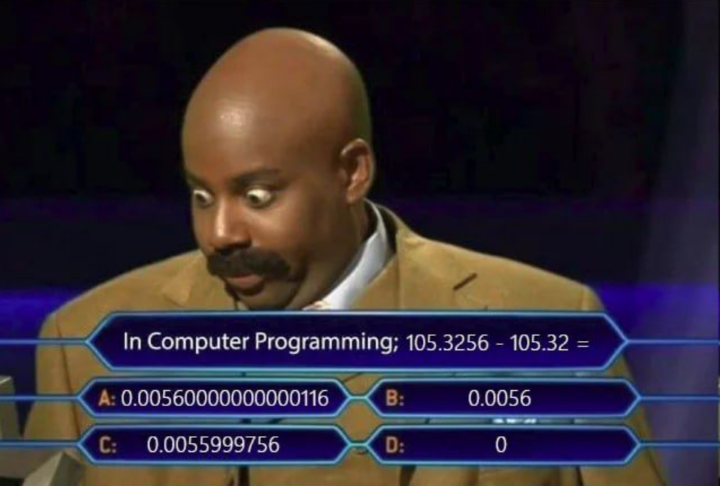
Here's a real example from practice: the original positive value was below 65,536, and the high word was zero. Reading the low word as UINT16 (we didn't know it was INT32, remember) actually gave us the same result as the machine's "normal" reading. We checked a small value—everything looked good. Then the machine switched to a different operating mode, the high word changed, and the data went haywire.
Just Reading All the Words Somehow Isn't Good Enough
Here are a few more ways to give yourself a headache, even if you can technically see all the registers and know which values take one word and which take two:
Mixing up signed and unsigned numbers. For example, INT16 holds values from −32,768 to 32,767, while UINT16 holds values from 0 to 65,535. The same 16 bits, all set to one, mean −1 in the first case and 65,535 in the second. If you interpret the type incorrectly, how are you supposed to make sense of those readings afterward?
Mixing up word order or byte order. You need to know which part of the number comes first. Byte order within a word and the order of the words themselves are separate settings. Swap the parts around and, as you've probably guessed, the value changes. Can you guess the order based on one "looks about right" reading? Sure. Sometimes we do exactly that... kidding! But what if there are thousands of these words?
Missing the scaling. Memory might hold the integer 253, while the operator panel displays 25.3 °C. That's because the program divides the raw value by ten.
Treating a set of flags as a measurement. A word's value may represent two bits being set: bit zero and bit two. One indicates readiness, the other a warning.
How Does This Affect ML (Machine Learning)?
During an ordinary register read, the controller carries out the request: ask for a word, get a word. We're the ones who know the data types and control how the data is interpreted afterward. The PLC doesn't care; it just hands it over.
So a check like "the connection works" proves nothing about whether we're reading the right registers or whether the data will be useful later.
And now for the "fun" part. If you feed raw 16-bit registers into a model separately, it may pick one of the two words (say, just the low word) as the most important feature. In other words, the model can absolutely find patterns in an incorrectly decoded signal. It doesn't know that, instead of a position, you've given it the remainder of that position divided by 65,536. You end up with a "pretty chart" that makes no sense at all.
What to Do When There Are Thousands of Signals
Manually checking an entire large historical dataset is simply impossible. But you can automatically verify the rules used to collect it, then manually confirm the key examples.
Start by describing the measurements. Each one needs an address, type, size, word and byte order, units, and scaling. For bits, you need the position; for strings, the length and encoding. If the type is unknown, it's better to leave it as "unknown" than randomly assume UINT16.
Build the read plan from that description. The program should automatically require two words for a 32-bit value and four for a 64-bit value. And you need to check both that the words are received and that they're saved.
Test the decoder with known examples. The decoder is our translator code: it turns raw bytes from the machine into numbers we can understand. You can feed it values that are out of the ordinary for the PLC ahead of time: zero, a negative number, a fractional number, and a number above 65,535. These checks catch errors we don't see when the machine is running uneventfully but that could show up sometime in the future.
Cross-check selected signals against the PLC project and the operator panel. If we can identify the data type using the HMI operator panel or look it up in the PLC project, that's the most reliable check.
And in general, we need to save the raw words together with the version of the signal definitions. That way, we can fix a decoding error later, even after the history has accumulated. But if a required word was never recorded, we can't recover it after the fact.
So when someone asks, "How do we train an ML model on a machine?", I ask a different question: "What exactly are we reading, and what can we actually see?" And if an old collector is confidently reading just one data type from a huge piece of equipment... something's off :)