Back then, OpenEffect was just an ambitious idea in the spirit of: What if we create an open-source analog of Higgsfield, but without subscriptions, without buying more credits, and without being tied to someone else's platform?
Now it’s a real project that we can show you. You can install it, run it on your machine, and start generating AI videos in literally a couple of minutes.
The repository is already open on GitHub OpenEffect
What is OpenEffect, anyway?
In short, it’s a tool for generating AI videos from photos using ready-made effects.
Ready-made effects are the main feature. A couple of articles ago, I mentioned that working with prompts for video generation isn’t that simple. That’s when we were preparing those prompts.
So, the pipeline is simple: You take a photo. You choose an effect. You hit generate. You get a cool AI clip.

But the key idea of the project isn’t just the generation. There are plenty of generators out there.
The idea is that this is simply your personal open-source combine. You take an effect, it already has a ready-made structure, tweak it as you need, and a cool video is ready.
Essentially, OpenEffect is our attempt to create an open-source system of effects, not just another AI button.
What we’ve added inside so far:
- camera move effects,
- atmosphere effects,
- transform effects,
- built-in YAML editor,
- import/export of effects,
- generation history,
- playground for experiments.
The project is still in its early stages (no throwing stones, please), but it’s already fully functional.
BYOK - Bring Your Own Key
This was a fundamental point.
I’ll be honest, we didn’t intend to create a Higgsfield analog but with a more pleasant price.
We made a service that works on the BYOK model - bring your own key.
Simply put:
- the interface and logic run locally on your machine (that’s the open-source part),
- while the generation happens through an API provider (you pay a few cents for generation tokens, rather than chipping in for a developer's mansion in Miami).
Our first provider is fal.ai because they have a very convenient API for different models. They literally have everything you need for generation.
For now, we decided to go through the APIs of already proven services.
Yes, you could go through the trouble of running generation on your home setup with a 1060 TI 4 GB after downloading Wan, but do you really need that?
Even open-source models require huge GPUs and a lot of RAM. And you won’t even get good closed models.
OpenEffect is simply a convenient inference tool for creating AI videos.
You don’t need to write any scripts, mess around with prompts, etc. Just go to GH, download it, star it (thanks!), and use the ready-made effects in our combine.
A couple of dollars in your fal balance will be enough to generate something and play around.

Ready to install?
Here’s how to deploy OpenEffect. Below are the technical details.
Via uvx
The simplest:
uvx openeffect
Via pip
pip install openeffect
openeffect
Via Docker Compose
curl -O https://raw.githubusercontent.com/openeffect/openeffect/main/docker-compose.yml
docker compose up
After launching, the application opens at:
http://localhost:3131
Then you register on fal.ai, deposit 10 bucks, and insert the API key in Settings. That’s it, you can start generating.
What’s next?
My honest motivational speech:
The project is currently in its early stages. So right now, you can really influence what OpenEffect will become in the future:
- what effects will appear,
- which models will be supported,
- which providers will be added,
- what the community catalog will look like.
Therefore, what’s most important for us now is simply to let the project see the world.
If you want to check out the code, play around with the generations, or just support our idea, welcome:
Here’s what the UI looks like:
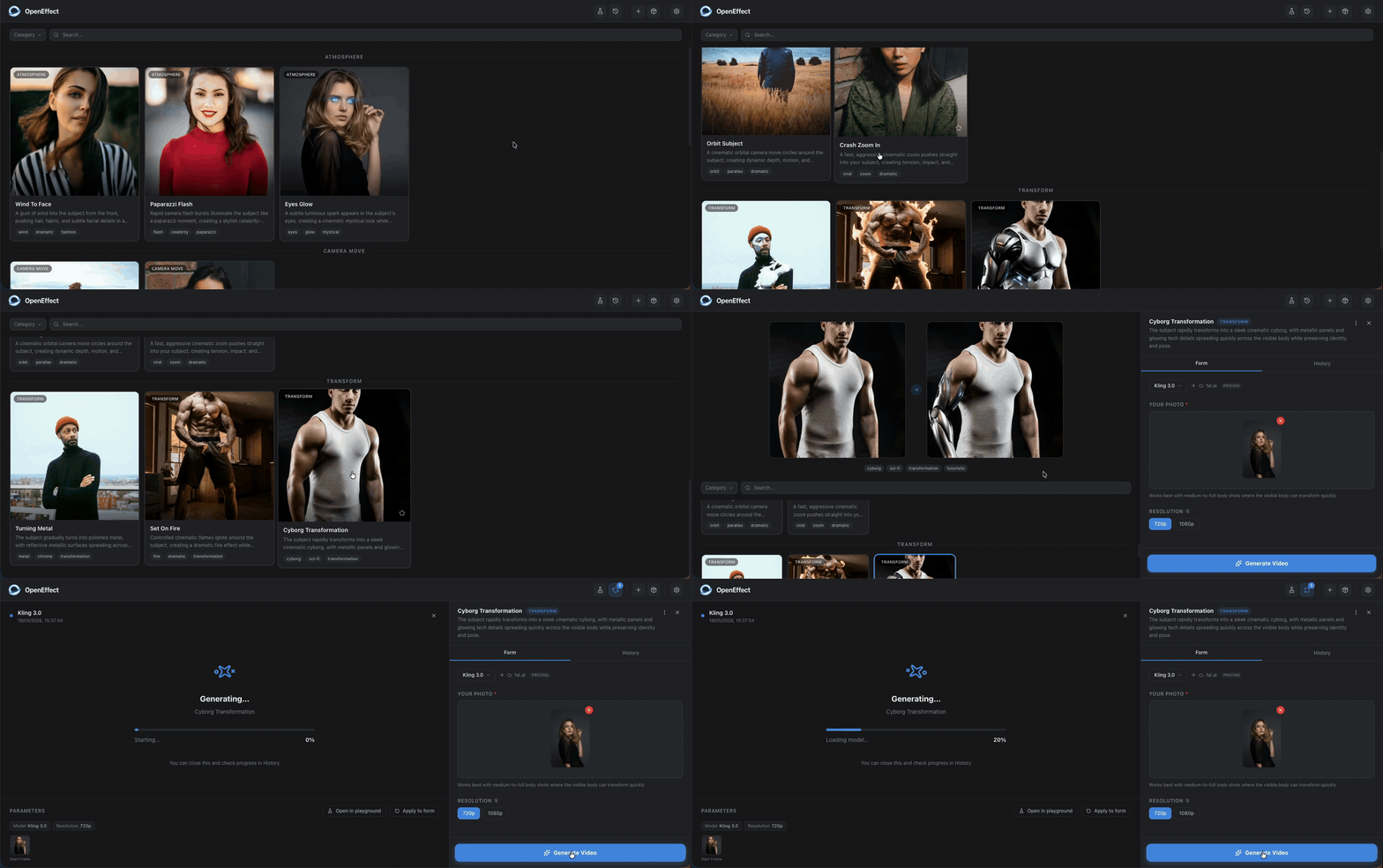
p.s. and if the project resonates with you ideologically - support it with a star.