About a year ago, I started working on a small commercial product with a telling name, Zada4kin.
In short, the idea is simple: you upload a photo of a problem (mathematical, logical, literary, etc.), and it gives you the answer.

Back then, I wasn't familiar with libraries for recognizing Russian text, so I had to learn the hard way, literally.
So below is my experience implementing Zada4kin.
Choosing an OCR Tool
The first thing to do is choose an OCR tool. In short, it's a neural network that can understand Russian texts in photos well. And ideally, it should be free. It sounds like a utopia, but there were a few solutions on the market (my experience dates back to October 2025).
-
EasyOCR via OpenCV on the lowest settings (since I was testing on CPU) worked, but it gave poor results unless it was a scan with a clear document layout (no tilts, glare). It started to confuse letters or mix them up. In general, I didn't want to dig deeper and just moved on.
-
Tesseract OCR and TrOCR. Tesseract supports the Russian language, but in my tests on photos of problems with tilts/glare, the results were weak. TrOCR didn't fit my case with Russian text out of the box, although there are separate fine-tuned models for Cyrillic.
-
PaddleOCR. The Chinese PP-OCRv5 is a winner because it has models for Cyrillic/East Slavic languages, and it works relatively well out of the box with very poor images.
For example, even with such photos, there were no problems out of the box.
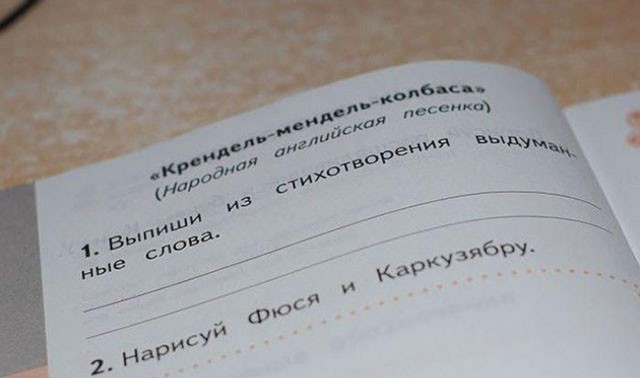
But still, for something more complex, I needed to write my custom preprocessor.
Preprocessor: What It Is and Why You Need It
Before we feed our photo into the model, we can slightly increase its brightness, contrast, rotate it, and remove distortion if there is any. It's like editing a photo on your iPhone right after you take it, using sliders and settings. These sliders and settings should become the preprocessor for the photos. But it should work automatically since there won't be an operator.
Yes, I now understand that for the MVP, PaddleOCR would have been sufficient out of the box, but back then, a pipeline without photo preprocessing seemed like a crutch and weak. So I started implementing the preprocessor.
What Exactly I Did with the Photo
- Correcting EXIF orientation (EXIF orientation is metadata within JPEG files that indicates the camera's position (horizontal/vertical) when shooting using the built-in accelerometer)
- Determining the type of image: photo or screenshot (screenshot is determined by size, edge activity via Canny, and sharpness via Laplacian variance). It's just easier to work with screenshots.
- Converting to grayscale (it was color, now it's gray - this is simpler and more stable for my pipeline)
- Assessing text tilt and then aligning it - Deskew (if the angle is in the range of about 3–20°, the image is rotated back without cropping corners)
- Noise reduction (Noise reduction is activated only when there are issues: glare, soft/blurry image, dark low-contrast frame)
- Soft upscale + unsharp (if sharpness is very low, the image is increased to 1.5x, then slightly sharpened)
- CLAHE for local contrast enhancement (this is an image enhancement algorithm that increases local contrast without introducing excessive noise)
This is not a complete preprocessor; there were some minor nuances inside, but overall, this is the foundation.
Why All This
Well, you might ask: “Why go through all this trouble to read text from a photo?”
Since nothing is absolute, we conduct A/B tests on images to understand which ones we can "read" and which ones we need to improve.
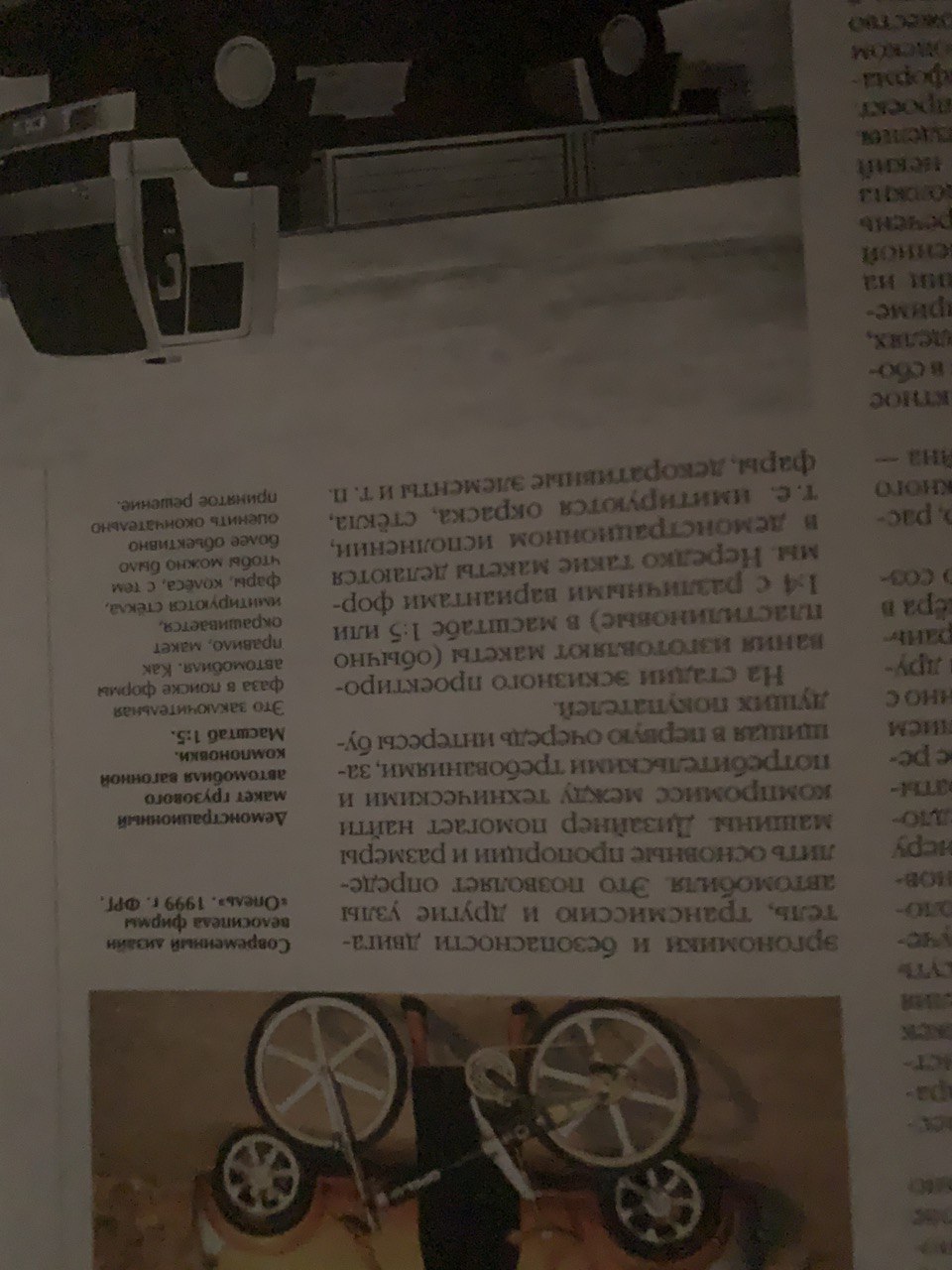
Yes, I created images of such quality specifically to test the service.
And yes, it recognized the text in the photo.
A Bit of Theory: How OCR Works
But to avoid it being magic, here's a bit of theory on how neural networks for text recognition in photos work:
An OCR model like the one I used, PaddleOCR, is not a single neural network that reads the entire image. Usually, it resembles a pipeline.
First, the image goes into a text detector. Here, we need to find areas in the image where there is text: lines, words, blocks, tabular fragments. We output the coordinates of boxes or polygons around the text. We don't recognize everything; we recognize the places where there is text.
Then each found fragment is passed to the text recognition model. It doesn't search for text anymore; it reads a specific cut-out area and converts the image of the line into characters. Conditionally: a small image with a line comes in, and the output is “Hello Vanya today bath” and a confidence score (something like an assessment of how confident the model is in the recognized line).
Yes, PP-OCR already has its own preprocessor for poor photos out of the box: determining document orientation, aligning the page, correcting line rotation, etc., but again, we rely on A/B tests of images, so we write our own.
Thus, we bring the image into a more convenient form for the detector and recognizer.
The main idea is that there can't be a universal best transformation for images. You took a photo, looked at it with your eyes, and decided to increase brightness, align tilt, or apply filters.
It's the same here - sometimes CLAHE helps, and sometimes it ruins things. Sometimes binarization makes the text clearer, and sometimes it destroys fine strokes. Sometimes sharpening helps on a blurry photo, and sometimes it creates unnecessary artifacts.
That's why even with a strong model like PPOCR, a custom preprocessor remains an important layer.
Yes, the neural network reads text well when the text is presented properly. And the preprocessor is responsible for making a really dirty photo from a phone look as much like a neat input for the OCR model as possible.
OCR → LLM
So, when we have the recognized text from the photo of the problem, can Zada4kin solve it now?
Yes, and using the OpenRouter API, I send the text with a small prompt to GPT-4o mini. The output is a pretty decent solution.
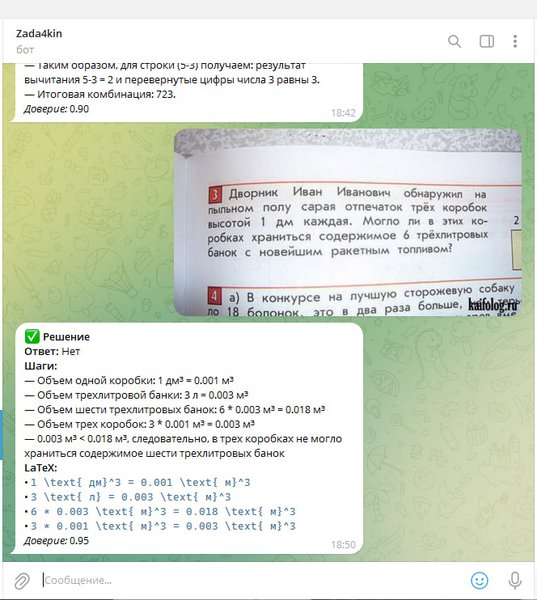
The Problem with Formulas
But unfortunately, the service hasn't seen the world yet, as it turned out (I simply didn't think about this during the design phase) that mathematical problems have many formulas, and they need to be converted into LaTeX format (a format that LLM will understand).
If you feed formulas into a regular OCR, it often loses structure: exponent, fraction, index, root, brackets. As a result, the LLM receives not a formula but some mush of text.
And yes, open-source models for recognizing formulas in LaTeX exist, but at that time, I didn't find a solution that would reliably cover my case: a Russian problem, a regular photo from a phone, text + formulas, decent quality, and simple integration into the product.
There are good projects and startups abroad, including in the USA, but I can't connect to them: either private access, or paid API + foreign/trust card, or legal entity confirmation.